
Most homes I have tested end up with the same problem: plenty of smart home gadgets, but daily life feels no simpler. In one apartment, I set up eleven connected devices in a single weekend. Within a month, I was opening three different apps just to turn off the lights.
Useful gadgets for home solve a specific problem, such as forgotten lights, a water leak under the sink, or a cold bedroom at night. Gadgets that look impressive in advertising often add steps instead of removing them. This guide focuses on smart gadgets that make daily routines easier and reduce small frustrations.
Smart home technology works best when each device has a clear job and the parts communicate with each other. Smart home gadgets cannot replace good habits, but they can remove repetitive tasks and reduce mental load. This guide explains what each device does, how to choose wisely, and where to start. If you prefer watching, the video below walks through the setup of a basic smart home.
What Are Smart Home Gadgets?
Smart home gadgets are connected devices that can be monitored, controlled, or automated through a smartphone, voice assistant, home network, or smart home platform. The simplest answer to what is a smart home is a house where these devices share information and respond to daily routines. Most of the value comes from the routine, not the hardware itself.
Most smart home devices offer at least one of the following capabilities:
- App control: Change settings from your phone, even when you are away.
- Voice control: Use Alexa, Google Assistant, or Siri for simple commands.
- Scheduling: Run tasks at set times, such as 7 a.m. or sunset.
- Automation: Trigger actions based on conditions like motion or temperature.
- Notifications: Receive alerts when a door opens or water is detected.
- Device interaction: Let products work together, such as a motion sensor that turns on a light.
The difference between standard and smart products is easiest to see side by side:
Device | Standard version | Smart version |
|---|---|---|
Lamp | Turns on and off by hand | Turns on by schedule, motion, or voice |
Power plug | Passes electricity only | Runs on a timer and, on some models, tracks energy use |
On paper, the difference looks small. In daily use, it changes habits. In my own setup, a smart plug for the coffee maker removed the morning check of whether it was switched on. [Replace with your verified test result.] The Connectivity Standards Alliance, which maintains the Matter standard, aims to let devices from different brands work together.
How Does a Smart Home Work?
Home automation depends on three layers:
- Devices: The physical products, such as bulbs, sensors, locks, cameras, or thermostats.
- Connection: The protocol that carries signals, such as Wi-Fi, Bluetooth, Zigbee, Z-Wave, or Matter.
- Control system: The smart home app, voice assistant, or smart home hub that ties everything together.
A simple example shows how these layers work together. A motion sensor detects movement in the hallway. It sends the signal through its connection to a smart home platform. The platform then tells a light to turn on, usually within a second, depending on your network.
Productivity Tip: Before buying anything, write down three actions you repeat every day. Choose devices that complete those actions, and skip products that do not.
Not every device needs a hub. Many Wi-Fi products connect directly to your router. However, compatibility matters more than the number of smart products you own. A smart home works well when its devices speak the same language, instead of each one living in its own app.
The Most Useful Smart Home Gadgets for Everyday Living
Useful gadgets for home are not all alike. The best smart home gadgets usually help in one of a few areas: comfort, security, time saving, energy management, cleaning, daily order, or easier access. Think about which of these problems you face most often. That answer should guide your first purchase.
Below, you will find the main categories I recommend most often, starting with the device that changes daily routines the fastest.
Smart Lights and Smart Bulbs
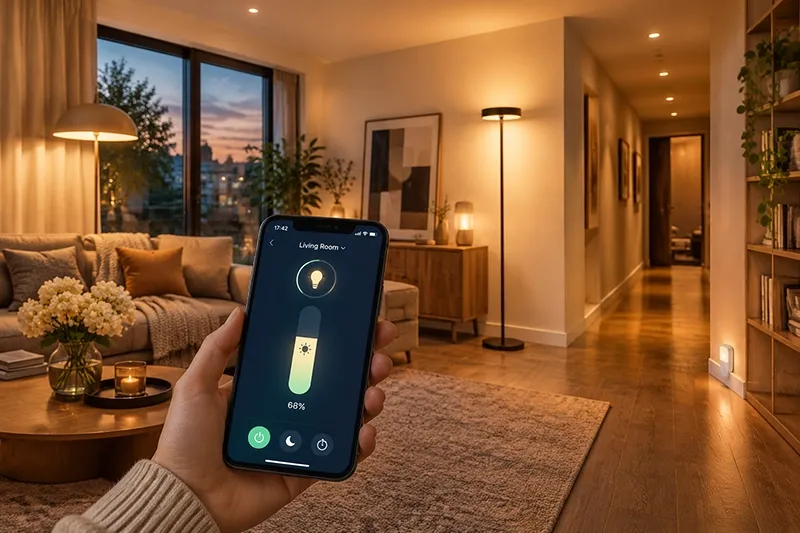
Smart light bulbs are one of the simplest ways to start a smart home. You can control them with an app or voice command, set schedules, adjust brightness, or pair them with a motion sensor. Smart lighting is often more practical than complex gadgets for many households. Common uses include:
- Turning on the entry light at sunset
- Switching off all lights automatically at bedtime
- Setting brighter light for work and softer light for rest
- Lighting a hallway only when motion is detected
- Reducing lights left on by mistake, which supports energy saving smart lights
Smart Plugs for Everyday Routines
Smart plugs turn ordinary appliances into part of a connected system. They work well with desk lamps, fans, coffee makers, compatible heaters, and small appliances. Use them to switch on the coffee maker before you wake up, turn off lamps at a set hour, or control a device that is hard to reach. Some models also track energy use, which helps you spot appliances that run longer than necessary.
Smart Speakers and Displays
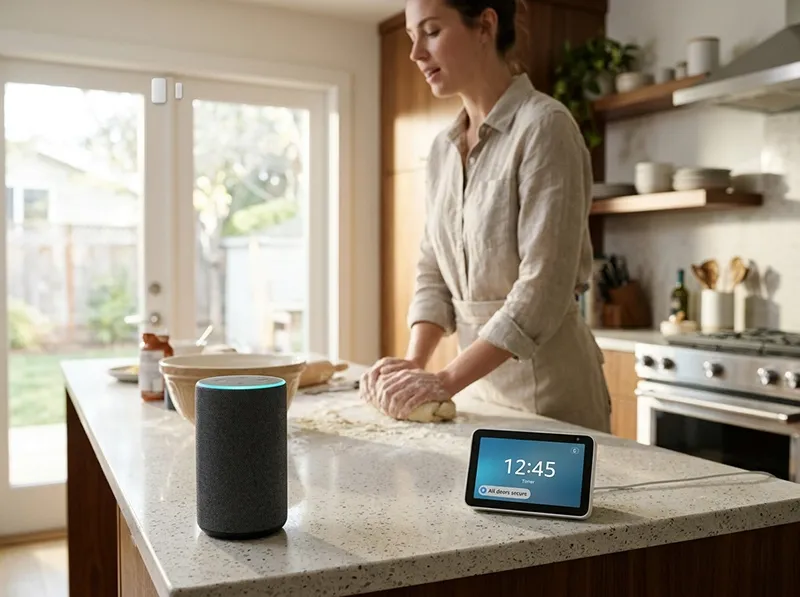
Smart speakers and displays can act as a simple control hub for your home. People use them to set timers, create reminders, play music, check information, and control other connected devices. They are most useful when your hands are busy, for example while cooking or cleaning. Smart displays can also show a compatible camera feed, a cooking timer, or a family calendar. For privacy, check microphone settings, use the mute button when needed, and choose a device that fits your comfort level.
Smart Sensors for Home Safety and Automation
Smart home sensors are among the most useful parts of a smart home because they let the system understand its surroundings. Unlike devices that wait for a command, sensors detect what is happening and respond. Common types include:
- Motion sensors: Detect movement and trigger a light or alert
- Door and window sensors: Report when an entrance or window opens
- Water leak sensors: Warn you about leaks before small damage becomes costly
- Temperature and humidity sensors: Monitor room conditions
- Smoke and carbon monoxide detectors: Provide essential safety alerts
Sensors support preventive home management. The system warns you before a small problem becomes a larger household issue.
Smart Thermostats and Climate Controls
Smart thermostats manage temperature based on schedules, occupancy, or your own preferences. They help improve comfort and use heating and cooling systems more efficiently. Before buying one, check these points:
- Compatibility with your heating or cooling system
- Remote control from your phone
- Temperature scheduling
- Room sensors for more even comfort
- Realistic expectations about energy savings, which depend on your home and habits
A smart thermostat alone does not guarantee lower bills. Your behavior and the type of system you have matter just as much.
Robot Vacuums and Smart Cleaning Gadgets
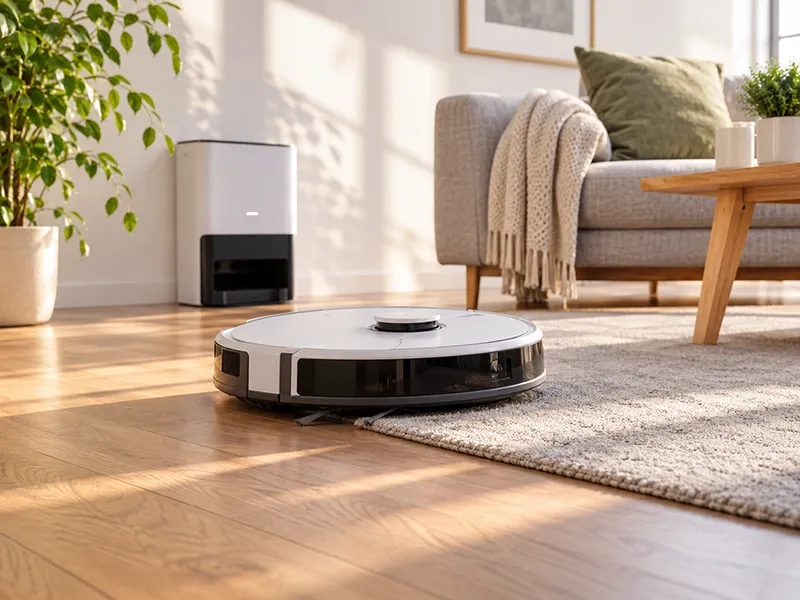
Robot vacuums suit people who want part of their daily cleaning to run on a schedule. Newer models may map your home, clean specific zones, or respond to app commands. Think of them as a time saver, not a full replacement for cleaning. They still have limits:
- They need a fairly clear path.
- Stairs are difficult for most models.
- Performance varies on carpet and different floor types.
- Dustbins and filters need regular emptying and care.
- Models differ widely in mapping, suction, and app quality.
How to Choose the Right Smart Home Gadgets
Choosing smart home gadgets gets easier when you stop comparing product lists and start comparing needs. Many beginners buy a few attractive devices, then discover that they do not work together. A better approach is to decide the problem first, then check compatibility, privacy, and long-term costs, which is the foundation of practical Smart House Design. This section walks you through that decision in a practical order.
Start With a Real Everyday Problem
Start with a problem you face every day, not with a product you saw online. Do the lights stay on after you leave the room? A smart plug or smart lighting can fix that. Do you forget to check the front door? A door sensor sends an alert. Do you lack time for cleaning? A robot vacuum may help. Is temperature hard to manage? A smart thermostat could be the right fit. Solving one clear problem first makes your first purchase far more useful.
Check Compatibility, Privacy, and Long-Term Use
Before buying, confirm that the device works with your phone and voice assistant, whether that is Alexa, Google Home, or Apple Home. Check whether it needs a separate hub, and whether it supports Matter or another shared standard. Look at the subscription fees, because some features cost money every month. Read how the company stores and uses your data. Finally, test what happens when the internet goes down. Some devices keep working locally, while others stop completely.
Smart Home Gadgets for Different Types of Homes
Every home has its own limits. A smart setup that works in a large suburban house often feels awkward in a compact city apartment. Before you buy, look at your layout, your lease, and how much you can change. The right smart home gadgets for renters and beginners solve daily friction without permanent wiring, drilling, or complicated setup.
Smart Home Gadgets for Beginners
Start small and let confidence grow. The easiest smart home devices are the ones you can set up in one evening. Begin with one smart bulb or smart plug for a single routine. Next, add a smart speaker or control app for central control. Then create one simple automation, such as lights turning on at sunset. Only after that should you add motion sensors or specialized hardware. Small wins show you how devices interact and prevent the overwhelm that makes many beginners quit.
Smart Home Gadgets for Renters and Small Homes
Living in an apartment or rental means you cannot change much. Portable smart home devices suit that reality. Look for products that need no drilling, can be removed in minutes, and fit a small shelf. Good options include wireless smart plugs, plug-in smart lamps, adhesive door sensors, and compact smart speakers. Used well, these smart home gadgets for renters add convenience and security while keeping your deposit intact. Check adhesive ratings first, since some sensors can leave marks on painted walls.
Smart Home Advantages and Disadvantages
Smart home technology brings clear gains, but it also brings real trade-offs. Before you commit, weigh the convenience against the costs, compatibility issues, and privacy risks. Many people focus only on the benefits, then face problems months later. Looking at both sides of the smart home ideas you are considering helps you build a setup that lasts. This section covers the advantages first, then the limitations you should plan for.
Benefits of Smart Home Technology
Smart home technology makes daily tasks easier. You can adjust lights, lock a door, or check the thermostat from anywhere. Remote control also helps with energy management, because you can turn off devices you forgot. Alerts keep you informed about what is happening at home. For older adults or people with limited mobility, voice commands and automated routines can reduce physical effort. Over time, these routines remove small decisions from your day, which is the real benefit of home automation.
Limitations and Privacy Concerns
The downsides are just as important. Upfront costs can rise quickly, and devices from different brands do not always work together. Many products depend on Wi-Fi, so a weak connection can disrupt them. Devices also need regular firmware updates, and neglected updates create security gaps. Weak passwords and unclear data policies raise privacy risks. Finally, buying without a plan can make your home harder to manage. Ask yourself whether each device solves a real problem before you add it.
Choosing the Best Smart Home Gadgets for Everyday Living
Building a practical list of smart devices for home starts with real needs, not popularity or flashy design. The best smart home devices are the ones you stop noticing because they fit your routine. Match each purchase to one clear job:
- Comfort and lighting: smart lights
- Ordinary appliances: smart plugs
- Hands-free reminders and voice commands: smart speakers
- Safety and leak prevention: smart sensors
- Climate control: smart thermostats
- Cleaning time: robot vacuums
The best smart home gadgets are rarely the most expensive ones on the shelf. A basic smart plug, a dimmable bulb, or a single motion sensor often adds more daily value than a complex system that needs constant troubleshooting. Useful gadgets for home work best when you start small. [Replace with your own test result, such as how long your first device ran without problems.] Before you expand, confirm cross-brand support on the Connectivity Standards Alliance Matter page, and review the FTC guidance on securing internet-connected devices.
Conclusion
A well-designed home setup never demands your constant attention. After years of testing cool smart home devices across different layouts, I have learned that the best home gadgets are the ones that quietly remove friction from your day. Instead of buying a long list of smart devices for home all at once, pick one daily frustration and solve it with a single, reliable tool. When your smart home gadgets work together without extra apps or maintenance, technology finally steps into the background and lets you enjoy a simpler, more comfortable home.
Was this article helpful?
Next Article
How to Calculate Net Worth: A Simple Guide to Your Financial Position
Comments(0)
Be the first to leave a comment.